
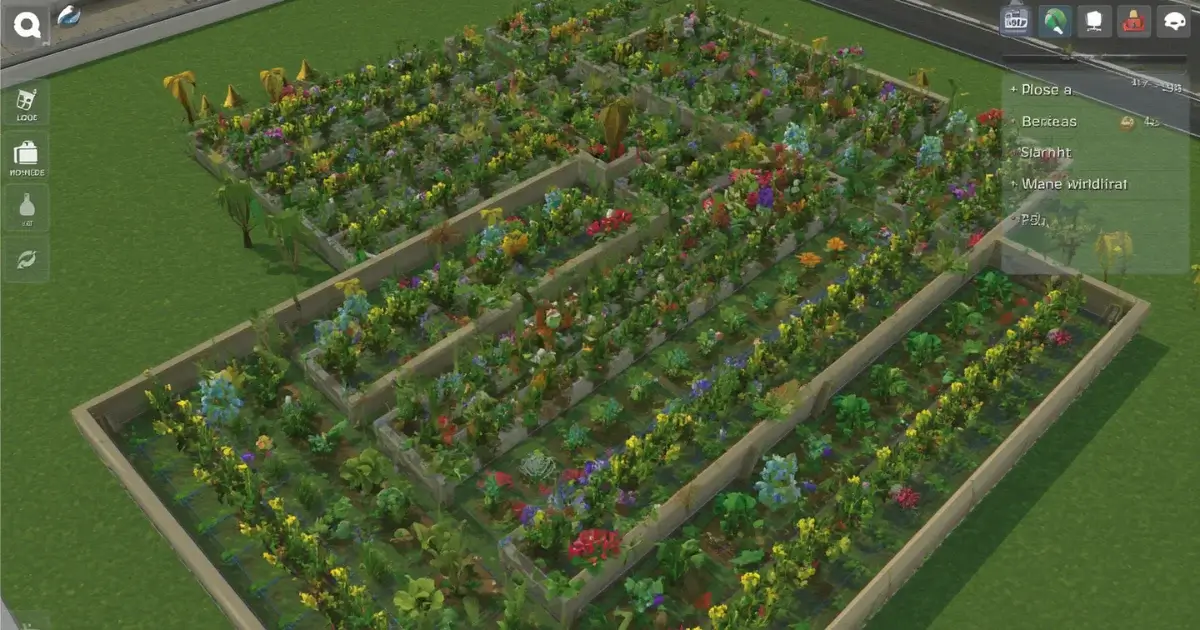
Most of the money you’ll make in Grow a Garden 2 comes from decisions you make in the first hour. Not because there’s a secret trick, but because early mistakes compound. An empty plot earns nothing. A rotten crop sells for a fraction of its price. A stolen one earns nothing at all.
This guide walks through the order that works for most new players, based on what community guides and trackers agree on. Numbers like prices and stock change with updates, so we point you to the live tools where it matters.
Step 1: Choose your server
The game asks you an early question that looks minor and isn’t: public or private server.
On a public server you’re around other players, which means friend boosts on sales, a busier world, and a real chance of someone stealing from you at night. On a private server you’re alone unless you invite people, so nobody can raid your garden, but the world feels quiet.
If you’re new and just want to learn the loop, a private server is a comfortable place to start. Once you have crops worth protecting or friends to play with, public servers are more fun, and the friend boost adds up.
Step 2: Start cheap and fast
Guides consistently suggest the same opening: Carrots and Strawberries. They’re inexpensive and grow quickly, so you see money coming in without long waits. Strawberries usually give a better return for their price.
When you’ve built up a cushion, most guides move players to Tomatoes, bought in bulk, and then on to Apples as the main early-to-mid income. Bamboo also gets recommended as a first serious earner because it balances price and profit. You can compare current sell values on our Grow a Garden 2 plants page, and the Grow a Garden 2 calculator will estimate what a specific fruit is worth once you know its weight.
If you want a wider look at crop choices, our best crops guide covers the original game, and the same thinking (return on investment, not just sticker price) applies here.
Step 3: Never leave plots empty
This is the single most common beginner mistake, and it costs the most. An empty tile earns zero shillings. As soon as you harvest, replant.
Also think about single-harvest versus multi-harvest crops. Single-harvest plants die after one harvest, and you rebuy the seed. Multi-harvest plants keep producing, so they cost less over time. As your income grows, shifting toward multi-harvest crops is one of the easiest efficiency gains.
Step 4: Buy a sprinkler early
Sprinklers speed up growth and improve the chance of heavier fruit, and heavier fruit sells for disproportionately more. You don’t need the best one. An early, cheap sprinkler is worth buying as soon as you can afford it, and planting your crops close together lets a single sprinkler cover more of them.
We explain how they work in our sprinklers and size luck guide.
Step 5: Water before you harvest
Crops left in the ground lose color and value over time, and guides say the penalty can be as high as 80 percent. A cheap watering can fixes it. Get in the habit of watering before you pick or sell. The full story is in our guide to crop decay in Grow a Garden 2.
Step 6: Plan around night
Night is when other players can steal from you on public servers. Until you own defenses, the simple rules are:
- Harvest valuable crops before night falls.
- Or stand inside your fenced garden during the night, which locks it.
- Don’t leave expensive, rare crops sitting in the ground when you log off.
When you’re ready to invest in protection, our night stealing guide walks through fences, doors, traps and defensive plants in a sensible buying order.
Step 7: Save rare seeds for weather
Mutations are triggered by weather events and certain pets. If you have a valuable seed, planting it just before a positive weather event gives it a chance at a multiplier. Planting rare seeds at random times wastes that chance. Keep an eye on the events page and our restock tracker so you’re planting with a plan.
Step 8: Pets come later
Pets are tempting, but your first Sheckles are better spent on seeds and a sprinkler. Once your garden is producing steadily, a cheap growth pet is a good first buy. We compare the options in which pet to buy first in Grow a Garden 2.
A rough first-hour order
This isn’t a strict script, just a sensible order:
- Pick a server and plant Carrots and Strawberries.
- Replant every time you harvest.
- Grab any free seeds from active Grow a Garden 2 codes.
- Buy a first sprinkler and plant closer together.
- Move into Tomatoes, then Apples or Bamboo.
- Water crops before selling.
- Harvest before night, or stay in your garden.
Mistakes worth avoiding
- Leaving plots empty. Covered above, and still the biggest one.
- Sitting on unspent Sheckles. Money in your balance doesn’t grow. Reinvest it in seeds.
- Spending Robux on cosmetics too early. Guides note that Robux mostly buys time rather than access, and cosmetics don’t help your garden earn.
- Going all in on one expensive crop. A steady mix beats a single big gamble early on.
Frequently asked questions
What should I plant first in Grow a Garden 2?
Carrots and Strawberries are the usual opening. They’re cheap and quick, and they fund your move into Tomatoes and Apples.
Should I play on a public or private server?
Private is calmer and safe from stealing. Public gives you friend boosts and a livelier world but carries the risk of night raids. Many new players start private and move to public later.
How do I make Sheckles fast?
Keep every plot planted, use a sprinkler, water before selling, and move to higher-value or multi-harvest crops as soon as you can afford them.
Do I need Robux?
No. The game is free to play and every guide we’ve read says all crops and pets are reachable with Sheckles.
Fan site notice: MyGardenCalculator is an independent fan project and is not affiliated with Roblox or the developers of Grow a Garden.